The GY-HM250 uploads completed clips through configurable FTP, SFTP, implicit FTPS, or explicit FTPES profiles using a supported HOST USB adapter. It supports on-camera and browser selection, background transfer, and resumable non-SFTP uploads; the HM180 bodies in the shared manual do not expose this workflow.
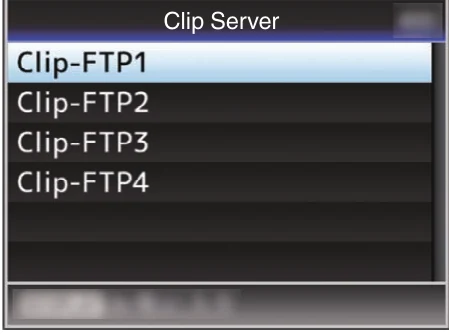
Menu path: HOST USB adapter > Main Menu > System > Network/Settings > Connection Setup > Wizard > Main Menu > System > Network/Settings > Clip Server > Clip-FTP1..4 > Media mode > thumbnail > LOLUX/3 > FTP Upload > File Already Exists > Resume > Web browser > Clip List > Upload. Protocols: FTP · SFTP · FTPS implicit · FTPES explicit. Sends: recorded video clips on SD media.
Documented from the manufacturer manual. Sources reviewed .
TransportWi-Fi adapter through HOST USB + Ethernet adapter through HOST USB + cellular modem through HOST USB
Payloadrecorded video clips on SD media
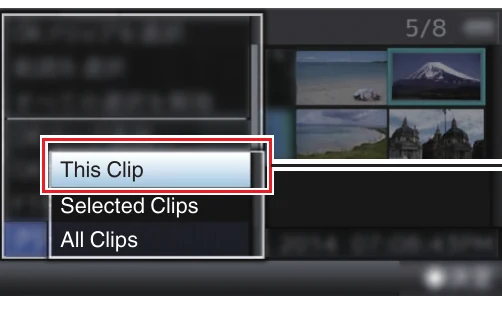
Triggersmanual clip upload from thumbnail view / selected or all-clip upload / browser-triggered clip upload
Before you touch the menu
What to gather
01Current GY-HM250 firmware.
02A JVC-supported HOST USB Wi-Fi, Ethernet, or cellular adapter.
03A short recorded test clip.
04Camera to Anywhere endpoint host, protocol, port, credentials, and directory.
05Expected server key/certificate fingerprint.
Connection fields
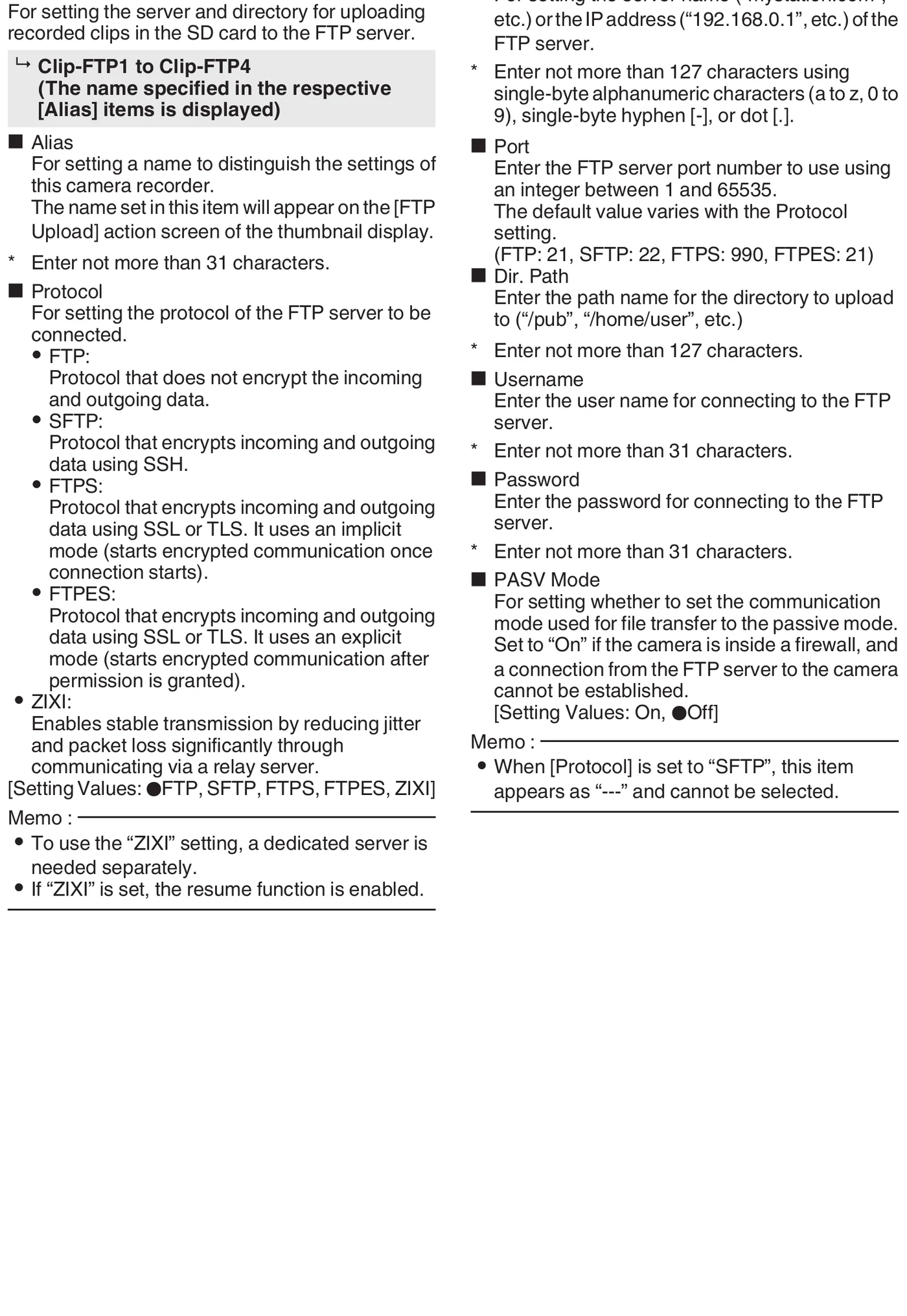
Alias
Recognizable job/destination name.
Appears on the FTP Upload screen.
Protocol
FTP, SFTP, FTPS (implicit), or FTPES (explicit).
Matches the Camera to Anywhere listener.
Server
Hostname or IP without scheme/path.
Identifies ingress.
Port
Exact issued listener port.
Connects to the correct service.
Dir. Path
Assigned remote directory.
Routes the clip.
Username
Per-source username.
Authenticates and identifies the camera.
Password
Issued password.
Completes authentication.
PASV Mode
On for FTP/FTPS/FTPES behind NAT; unavailable for SFTP.
Uses passive data connections.
The menu, step by step
01
HOST USB adapter
Connect the supported adapter while powered off.
MANUFACTURER MANUAL EXCERPT · 1/1
Reviewed menu evidence for GY-HM250 from the archived manual, page 126.
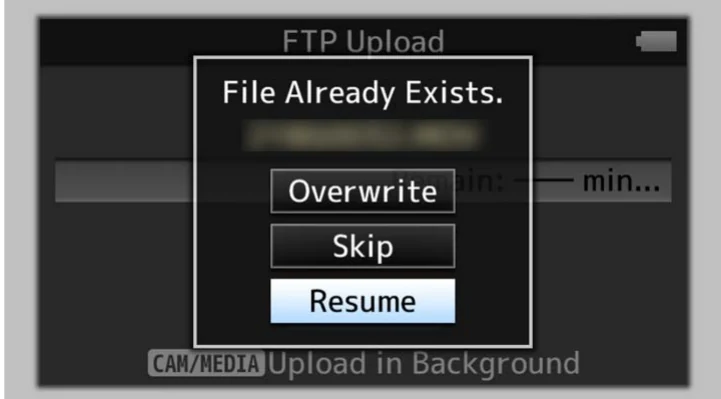
Resume for a supported interrupted FTP-family upload
Media behavior
Uploads completed playable clips from SD media.
Progress and stop controls are shown.
Secure protocols require fingerprint validation.
A same-name smaller remote file can offer Resume.
Switching back to Camera mode can allow shooting during transfer.
Limits and warnings
FTP features are GY-HM250-only within the shared HM250/HM180 manual.
A supported HOST USB network adapter is required.
Resume is disabled for SFTP and HTTP FTP proxy operation.
HTTP proxy mode supports only FTP and can alter overwrite confirmation.
Verify the remote partial file before choosing Resume.
Prove it on your body
Run this checklist on the exact body, firmware, network, and media format you will use on assignment.
The shared manual marks networking and FTP as GY-HM250-only features; GY-HM180 is excluded. Use current firmware; FTP resume is unavailable with SFTP. Physical Camera to Anywhere interoperability is not yet lab-verified.
01Adapter and IP are valid.
02The correct profile is active.
03Secure fingerprint matches.
04A short clip uploads with matching bytes.
05Controlled resume works on a non-SFTP path.
06A failed upload remains recoverable without harming another asset.
If it will not send
01FTP menu missing
Confirm the body is HM250, networking is enabled, and a supported adapter is present.
02Cannot connect
Verify IP/DNS/gateway, host, port, and firewall.
03Login/path rejected
Correct Username, Password, Dir. Path, and account permissions.
04Resume disabled
Use FTP/FTPS/FTPES without HTTP proxy and confirm the server supports append.
05Unexpected secure fingerprint
Do not accept until the endpoint identity is confirmed.
Sources
The local archive keeps this research reproducible if an official link changes. It is not redistributed through this site.
01
JVC GY-HM250/GY-HM180 Instructions
Printed pp. 124-126, Clip Server; pp. 155-158, uploading and FTP Resume