The sports-production GY-HC500SPC uses the HC500-family upload pipeline: automatic or manual delivery to four configurable FTP/SFTP/FTPS/FTPES profiles, resumable FTP-family transfers, and HD+Web Slot-B proxy chunking during recording. Built-in Ethernet avoids an accessory for wired operation; supported HOST USB adapters provide Wi-Fi or cellular paths.
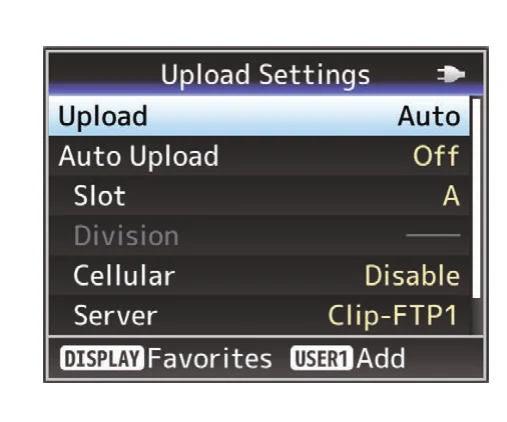
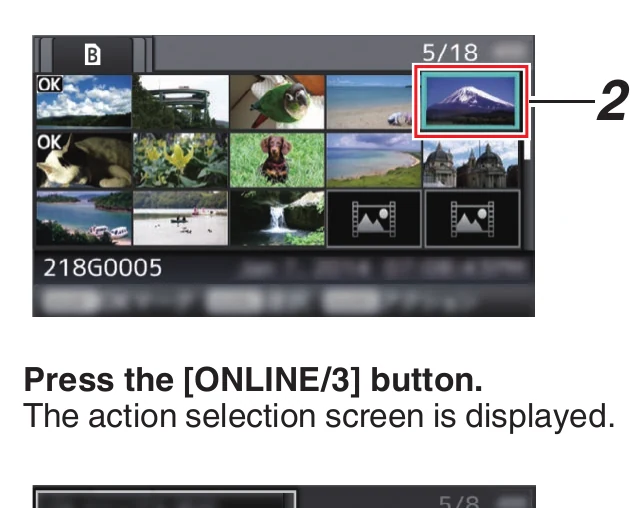
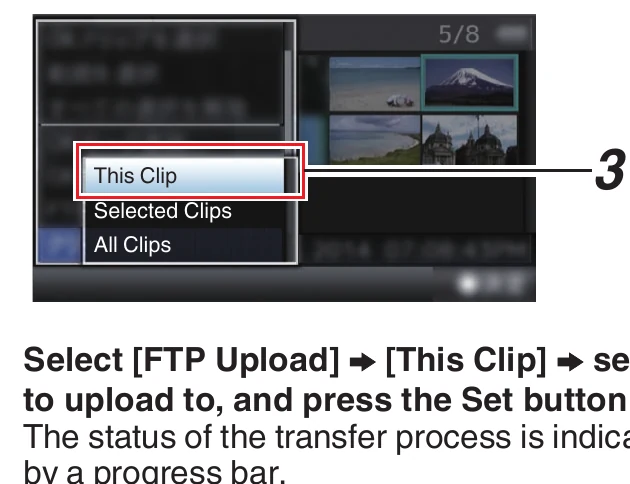
Menu path: Network > Connection Setup > Network > Upload Settings > Clip Server > Clip-FTP1..4 > Network > Upload Settings > Upload > Network > Upload Settings > Slot / Cellular / Server > Network > Upload Settings > Auto Upload > Network > Upload Settings > Auto Upload > Division > Media mode > thumbnail > ONLINE/3 > FTP Upload > File Already Exists > Resume. Protocols: FTP · SFTP · FTPS implicit · FTPES explicit. Sends: recorded video clips on SD media.
Documented from the manufacturer manual. Sources reviewed .
Transportbuilt-in wired Ethernet LAN + supported Wi-Fi adapter through HOST USB + supported cellular adapter through HOST USB
Payloadrecorded video clips on SD media
Triggersautomatic upload after recording / automatic chunked upload during supported recording modes / manual clip upload / browser-triggered clip upload
Before you touch the menu
What to gather
01Current GY-HC500SPC-compatible firmware and the current family manual/supplement.
02Built-in Ethernet or a supported HOST USB Wi-Fi/cellular adapter.
03A test clip; HD+Web proxy media setup for live chunk testing.
04Camera to Anywhere host, protocol, port, credentials, and path.
05Approved secure-protocol fingerprint.
Connection fields
Alias
Event/destination label such as C2A-Court-1.
Makes the selected route obvious to the operator.
Protocol
FTP, SFTP, FTPS implicit, or FTPES explicit.
Matches the Camera to Anywhere listener.
Server
Hostname or IP only.
Identifies ingress.
Port
Exact issued port.
Connects to the correct service.
Dir. Path
Assigned team/event input directory.
Keeps concurrent feeds isolated.
Username
Per-camera/source username.
Authenticates and attributes the feed.
Password
Issued password.
Completes authentication.
PASV Mode
On for FTP/FTPS/FTPES behind NAT; unavailable for SFTP.
Uses passive FTP data connections.
Slot / Server
The auto-upload recording slot and Clip-FTP alias.
Defines the automatic source/destination pair.
Division
Approved HD+Web Slot-B interval based on latency and overhead needs.
Controls how quickly proxy segments become available downstream.
The menu, step by step
01
Network > Connection Setup
Configure the venue network path and verify the assigned IP.
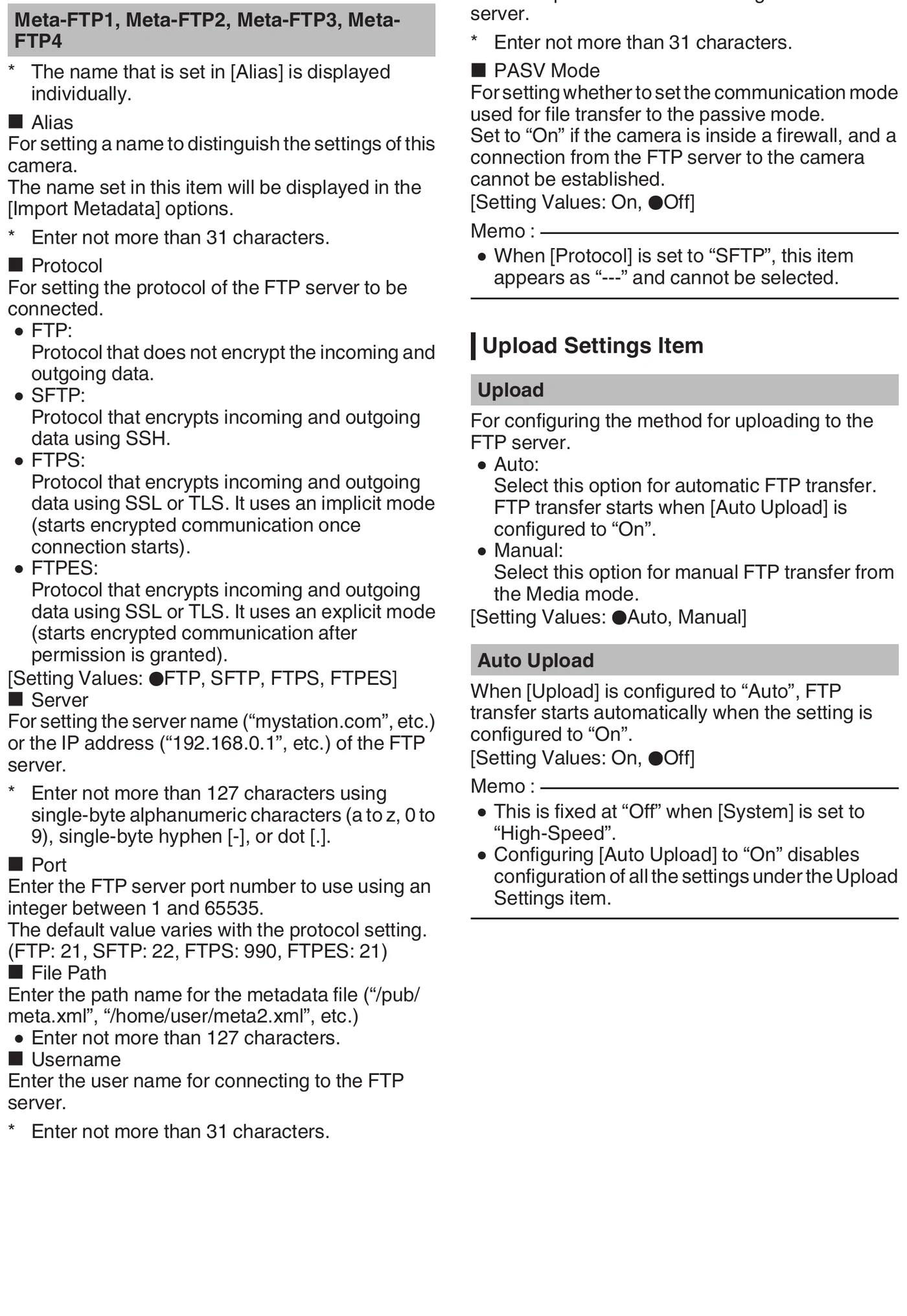
MANUFACTURER MANUAL EXCERPT · 1/1
Reviewed menu evidence for GY-HC500 / GY-HC550 / GY-HC500SPC family from the archived manual, page 148.
Chunk upload sends Slot-B HD+Web proxy segments while recording.
Manual upload handles playable completed clips.
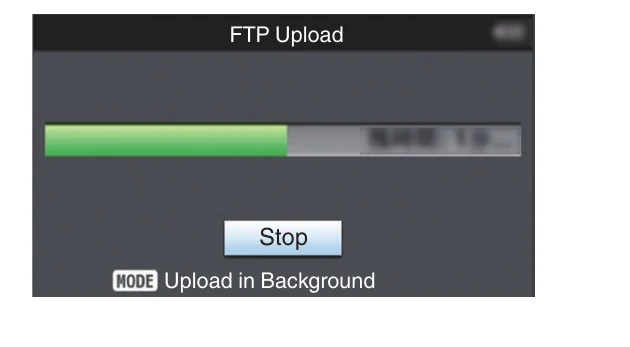
The status screen reports progress and failures.
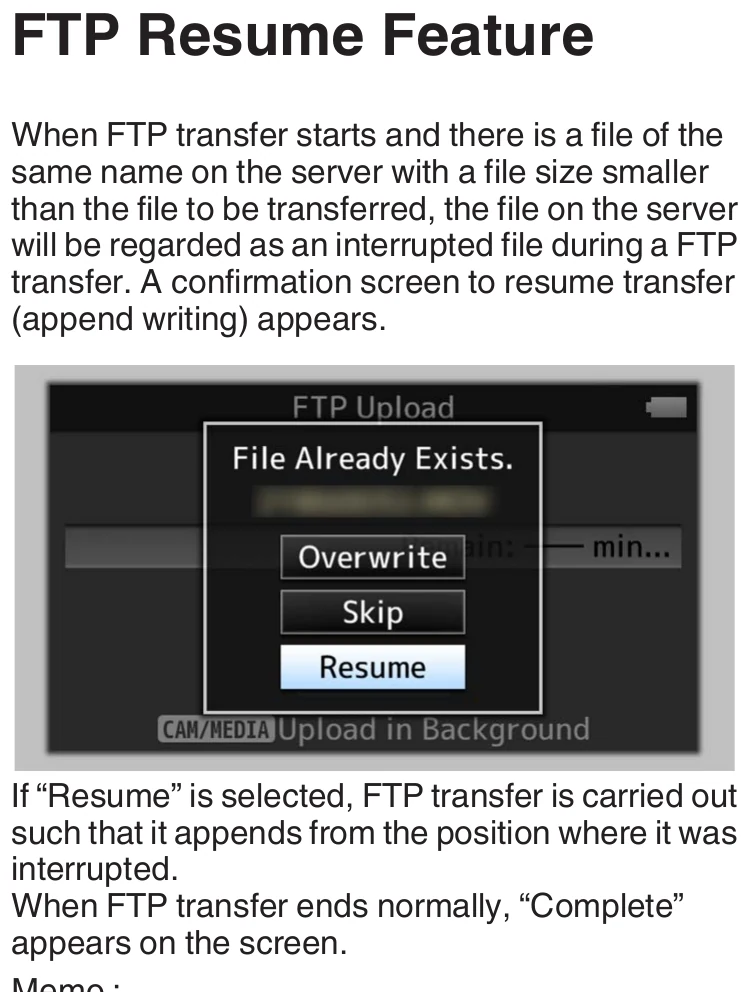
A smaller same-name partial can offer Resume.
Limits and warnings
Recording to the selected auto-upload slot interrupts its transfer.
FTP does not operate during live streaming or Return over IP.
High-Speed mode disables FTP.
During-recording chunks require HD+Web proxy recording in Slot B.
Resume is disabled for SFTP and HTTP FTP proxy.
Sports overlays and scoring features do not change the FTP destination semantics; validate the actual recorded/proxy payload required by the client.
Prove it on your body
Run this checklist on the exact body, firmware, network, and media format you will use on assignment.
The model is covered by the shared HC500/HC550/HC500SPC manual. High-Speed recording disables clip FTP; chunked upload is format-dependent; FTP resume is unavailable with SFTP. Physical Camera to Anywhere interoperability is not yet lab-verified.
01The camera receives an IP on the production VLAN/hotspot.
02Its event-specific alias and directory are correct.
03Secure fingerprint is verified.
04A full test clip arrives byte-identical.
05A during-recording proxy chunk test meets the required latency if enabled.
06Slot strategy and streaming conflicts are documented for the operator.
If it will not send
01Near-live chunks are absent
Confirm HD+Web, proxy Slot B, Division, Auto mode, selected Server, and Auto Upload On.
02Auto upload stops during play
Check whether recording reused the watched slot or live streaming/Return over IP was enabled.
03Cannot reach endpoint
Verify venue VLAN/egress, IP/DNS/gateway, host, port, and protocol.
04Authentication/path rejected
Correct the per-camera Username, Password, Dir. Path, and server permissions.
05Resume unavailable
Use a resume-capable FTP/FTPS/FTPES path without HTTP proxy and the correct partial file.
Sources
The local archive keeps this research reproducible if an official link changes. It is not redistributed through this site.
01
JVC GY-HC500/GY-HC550 family Instructions
Printed pp. 148-150, Upload Settings and Clip Server; pp. 189-193, upload workflows and Resume