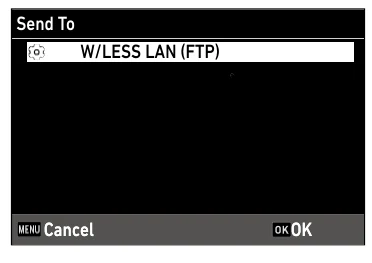
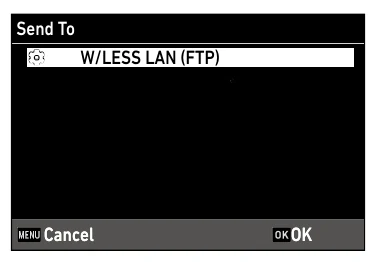
The G900SE uses built-in Wi-Fi and an ST-20-created communication list to send stills and movies to a configurable FTP or FTPS endpoint. The camera imports the list, selects a W/LESS LAN (FTP) destination, and supports playback, quick-send, automatic, and power-off batch behavior.
Menu path: ST-20 > Add > ST-20 > Network > ST-20 > Wireless LAN Setting > ST-20 > FTP/FTPS Server Options > ST-20 > File > Save As / Tools > Transfer Communication List (MSC Transfer) > Camera G menu > Import Com. Setting > Send To > G menu > Simple Connection / Communication Mode > C menu > File Send / G menu > Quick Send Mode. Protocols: FTP · FTPS. Sends: captured still images · recorded movie files.
Documented from the manufacturer manual. Sources reviewed .
Transportbuilt-in 2.4 GHz Wi-Fi through an access point or hotspot
Payloadcaptured still images · recorded movie files
Triggersplayback File Send / one-touch or two-touch quick send / automatic transfer after capture / queued still or still-plus-movie transfer at power-off
Before you touch the menu
What to gather
01G900SE firmware 1.06.
02A Windows computer with Ricoh ST-20 from DC Software II.
03A camera-formatted card or USB MSC connection for the .PRM communication list.
04A reachable Wi-Fi access point or hotspot.
05Camera to Anywhere endpoint host/IP, port, credentials, directory, encryption choice, and PEM/DER certificate when required.
Connection fields
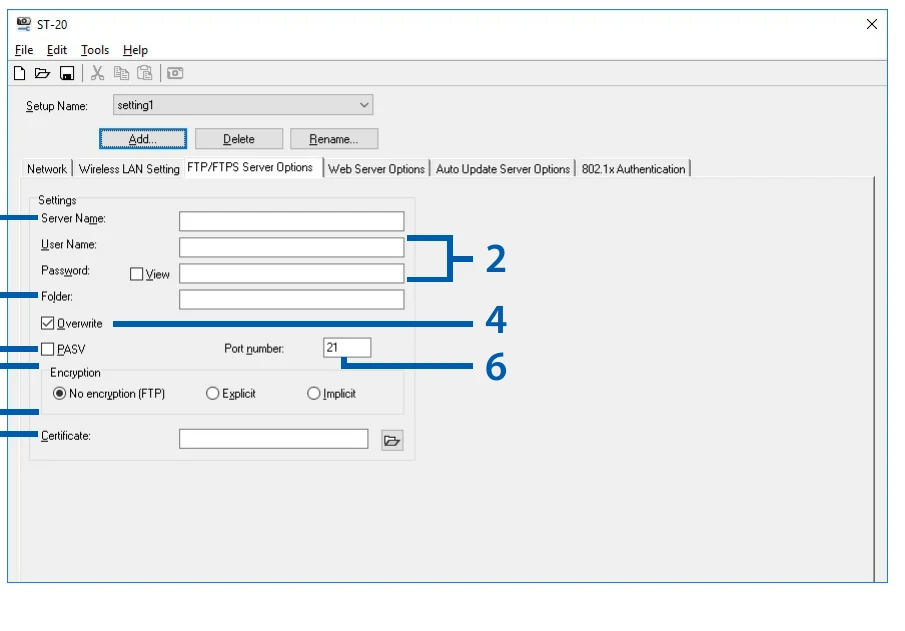
Destination server
Camera to Anywhere hostname or IP address.
Identifies the FTP/FTPS receiver.
User ID and password
The issued per-source credentials.
Authenticates and isolates this source.
Folder
The assigned remote input path.
Routes files to the intended workflow.
Overwrite duplicate names
Leave unchecked for a safe first test.
Unchecked duplicates are not transferred rather than replacing an existing server file.
PASV
Check for the normal NAT/firewall-compatible FTP data path.
Avoids an inbound active-mode connection to the camera.
Port
The endpoint's exact assigned port.
Must match the ingress listener.
Encryption
FTP, Explicit FTPS, or Implicit FTPS to match the endpoint.
Controls TLS negotiation.
Certificate file
A PEM or DER certificate/root file when FTPS requires it.
The certificate is transferred to the camera for trust validation.
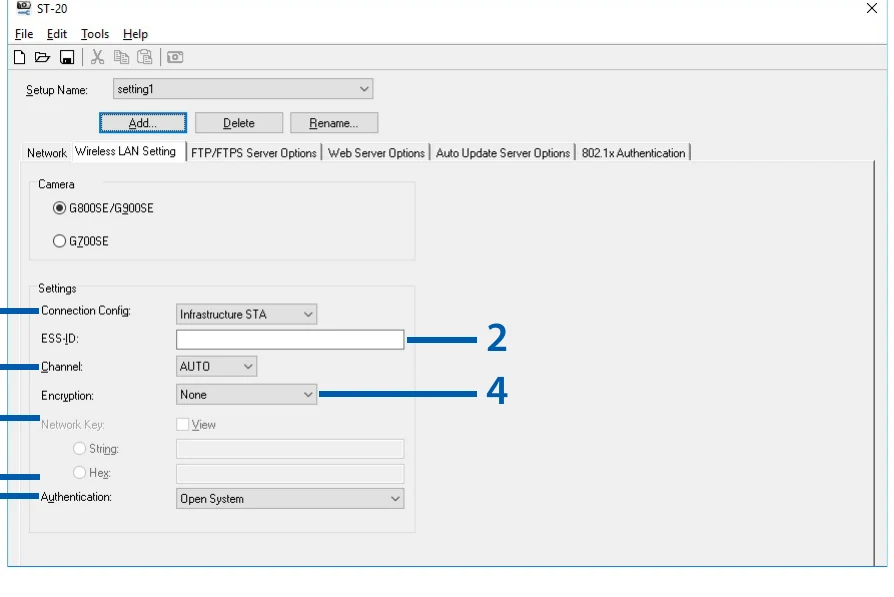
ESS-ID / Network Key
The venue SSID and Wi-Fi credential.
Connects the camera in station mode.
The menu, step by step
01
ST-20 > Add
Create and name a file-transmission destination.
MANUFACTURER MANUAL EXCERPT · 1/1
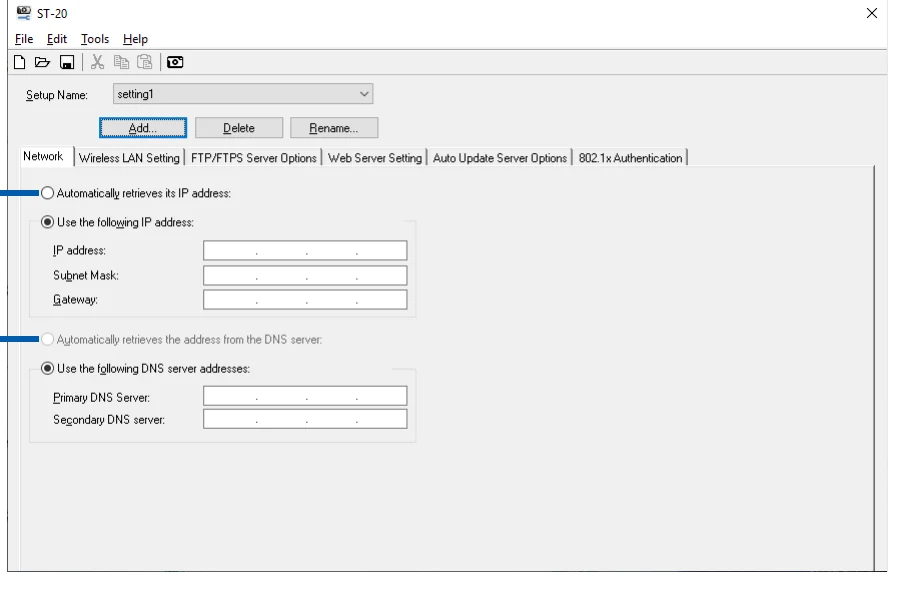
Add a communication-list entry in ST-20, then enter its IP, subnet, gateway and DNS values on the Network tab.
Playback File Send: one, all, individually selected, or range
1Touch during instant review
2Touch from instant review
Auto send after capture
Transmit Power Off batch
Destination choice per transfer when Send Status is On
Media behavior
File Send handles captured still images and recorded movie files.
Quick-send Auto ignores the Image File Size setting and sends the original capture.
Image File Size can resize other transfer modes when configured.
Auto Delete can remove successfully sent images and should remain disabled during rollout.
Support settings include retry count, access-point timeout, ping, logs, and retained WLAN connection.
Limits and warnings
ST-20 and its transfer workflow are Windows-only.
Communication lists require a camera-created SYSTEM folder and USB Connection set to MSC for direct transfer.
Instant-review transfer is unavailable in T/B modes and supported continuous/burst drive modes.
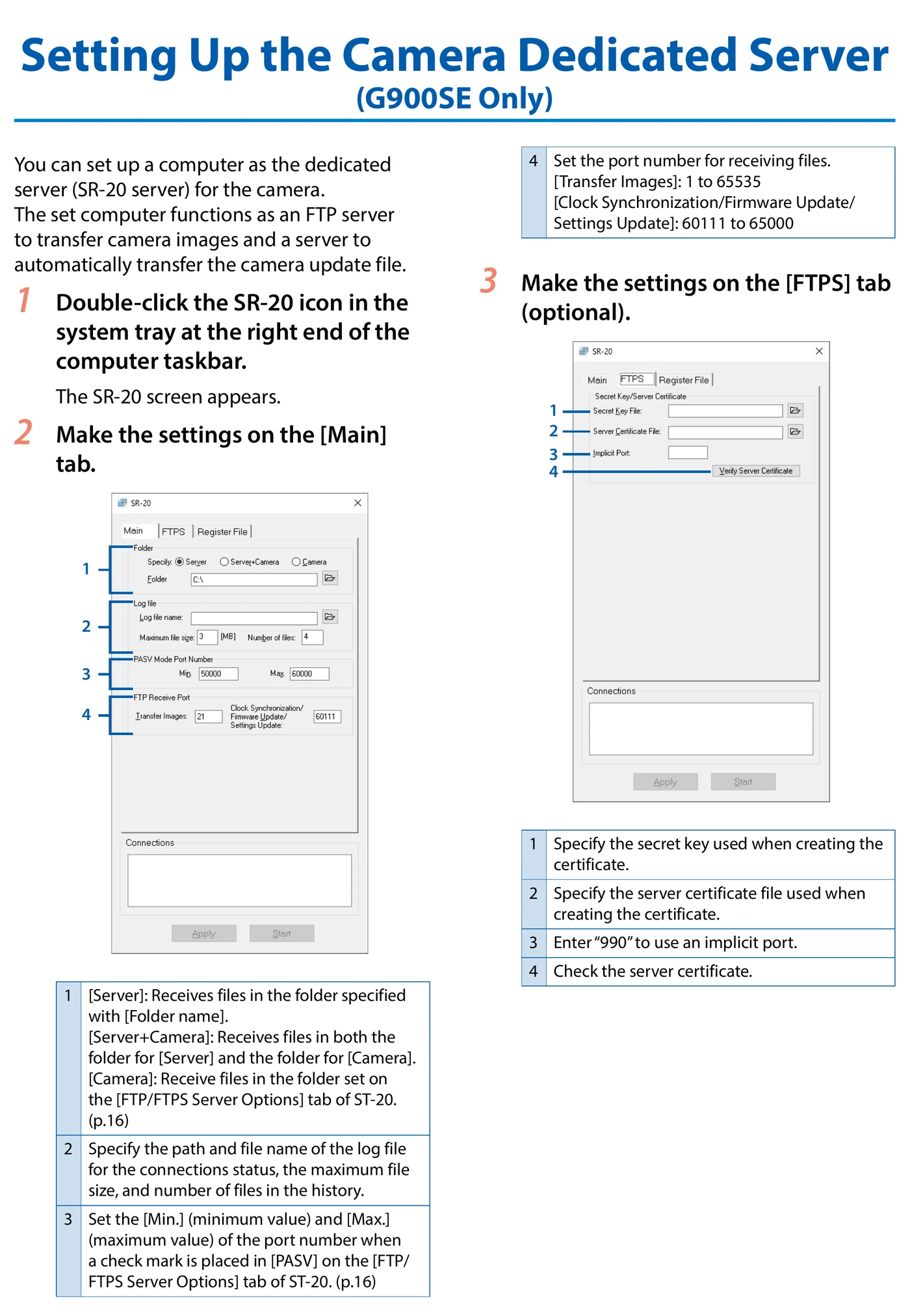
The dedicated SR-20 server is optional and not required for Camera to Anywhere.
This path documents FTP/FTPS, not SFTP.
Prove it on your body
Run this checklist on the exact body, firmware, network, and media format you will use on assignment.
Use firmware 1.06. Ricoh states that this update cannot be rolled back to 1.05 or earlier. Physical Camera to Anywhere interoperability is not yet lab-verified.
01The .PRM file is saved and imported.
02The W/LESS LAN (FTP) destination appears under Send To.
03The camera joins the access point.
04One playback JPEG reaches the correct remote folder.
05Remote filename and byte size match.
06Auto Delete and Transmit Power Off are set deliberately.
If it will not send
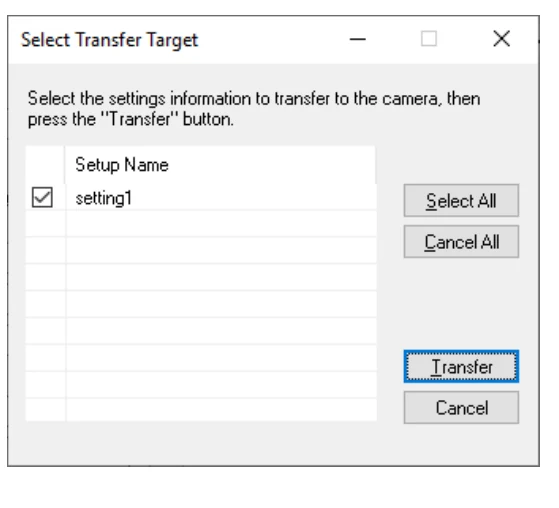
01Communication list will not transfer
Set USB Connection to MSC and ensure the camera-formatted card contains the SYSTEM folder.
02Destination does not appear
Import Com. Setting again and verify the .PRM list contains the saved FTP/FTPS destination.
03Cannot connect
Use Support > PING and logs, then verify SSID, IP/gateway/DNS, host, port, PASV, and venue firewall.
04Authentication or path error
Correct the ST-20 user ID/password or folder and transfer/import the revised list.
05Instant-review send is unavailable
Leave T/B and continuous/burst shooting modes and confirm Quick Send Mode is enabled.
Sources
The local archive keeps this research reproducible if an official link changes. It is not redistributed through this site.
01
Ricoh G900/G900SE Operating Manual
Printed pp. 96-103, Using the Network and Transmitting Files