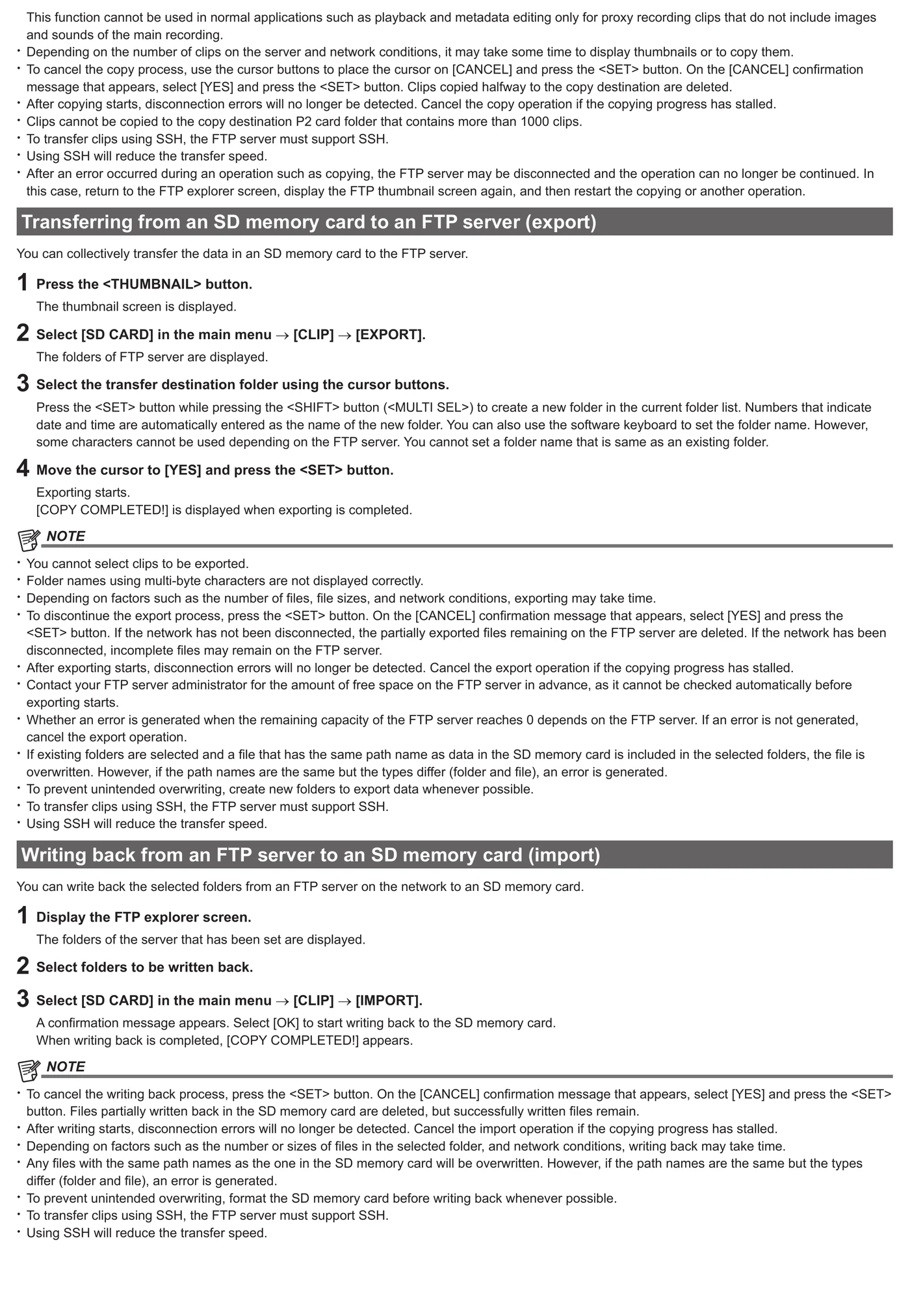
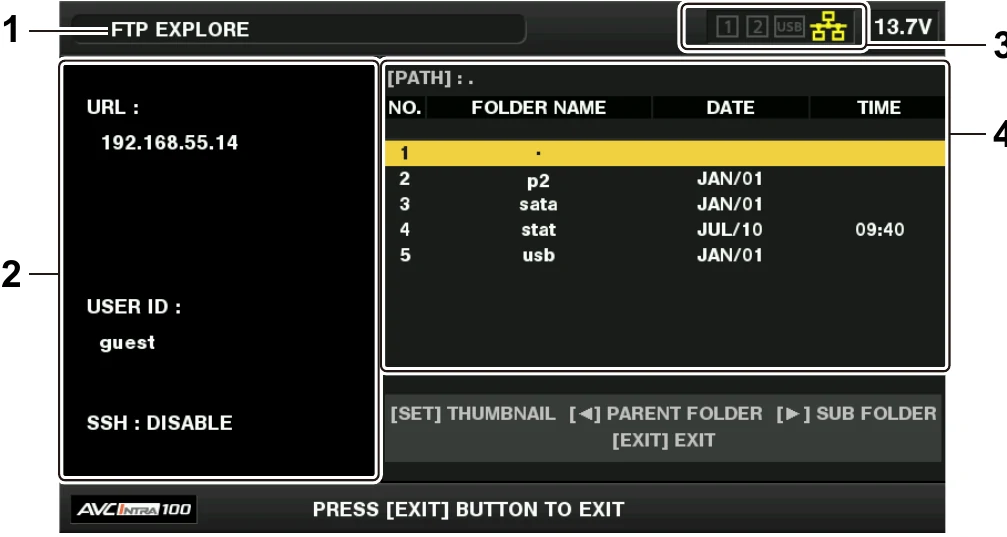
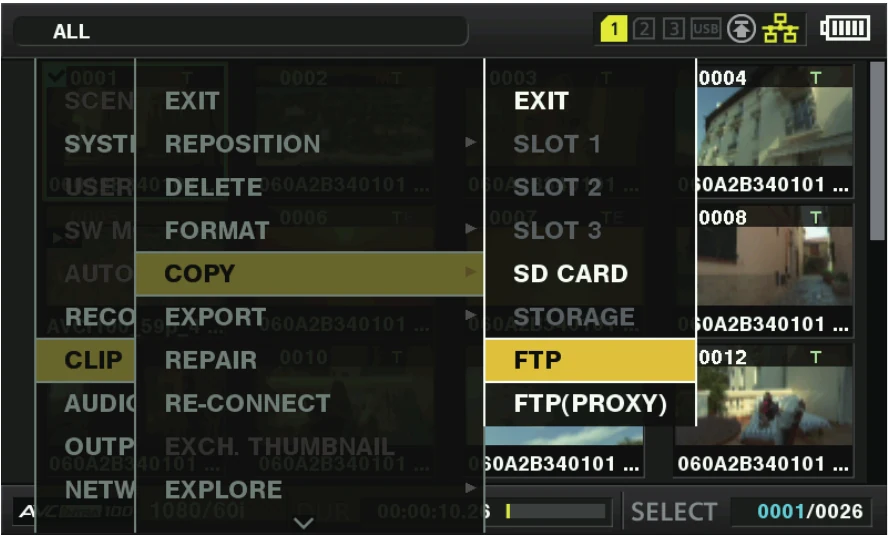
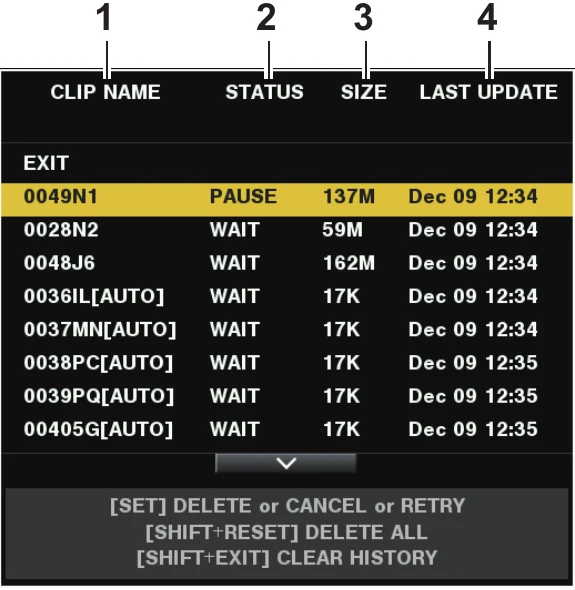
AJ-PX800G / AJ-PX800GH can initiate FTP transfer of P2 main-material clips, proxy clips over wired Ethernet; Wi-Fi via optional module; 4G/LTE USB modem. The documented route accepts a user-configured server; it is suitable for a destination-neutral ingest gateway after protocol, firmware, and payload testing.
Menu path: Main menu → NETWORK SETUP → FTP CLIENT SERVICE > SETTING DATA → MANUAL > SERVER URL / credentials / SSH > Thumbnail → FTP / FTP Explorer > REC DURING UPLOAD / automatic transfer. Protocols: FTP. Sends: P2 main-material clips · proxy clips.
Documented from the manufacturer manual. Sources reviewed .
Transportwired Ethernet + Wi-Fi via optional module + 4G/LTE USB modem
PayloadP2 main-material clips · proxy clips
Triggersmanual transfer of up to 100 selected clips and automatic proxy/full-file upload
Before you touch the menu
What to gather
01Establish a supported route: wired Ethernet; Wi-Fi via optional module; 4G/LTE USB modem.
02Have the required hardware or provisioning ready: AJ-WM30/AJ-WM50 wireless module for Wi-Fi; supported 4G/LTE modem for mobile broadband.
03Prepare a reachable FTP server, login, writable directory, and enough server capacity for P2 main-material clips, proxy clips.
04Firmware qualification: The cited product page establishes FTP but is not used to infer SFTP.
Connection fields
SERVER URL
The server name or address; append only the folder syntax documented by Panasonic for this model.
Defines both the destination host and, where supported, its login-relative folder.
LOGIN USER
The camera/event-specific account name.
Authenticates the FTP client.
LOGIN PASSWORD
The password issued with that account.
Completes server authentication.
SSH
Enable only when the model documents SSH and the server is configured for the corresponding secure file-transfer mode.
Switches supported P2 models from plain FTP transport to their documented SSH-secured behavior.
SSH PORT
The exact SSH port configured on the server.
Must match the server whenever SSH is enabled.
REC DURING UPLOAD / upload target
Choose proxy or recorded/main clip behavior supported by the current recording format.
Controls what is queued after recording.
The menu, step by step
01
Main menu → NETWORK SETUP → FTP CLIENT SERVICE
Open the FTP-client settings group for the active network route.
MANUFACTURER MANUAL EXCERPT · 1/1
Reviewed menu evidence for AJ-PX800G / AJ-PX800GH from the archived manual, page 201.